Plan the dive
like it already happened.
DiveCast is a dive planner built for technical divers — gradient factors, trimix, CCR setpoints, bailout math and every contingency, modeled before you're ever in the water.
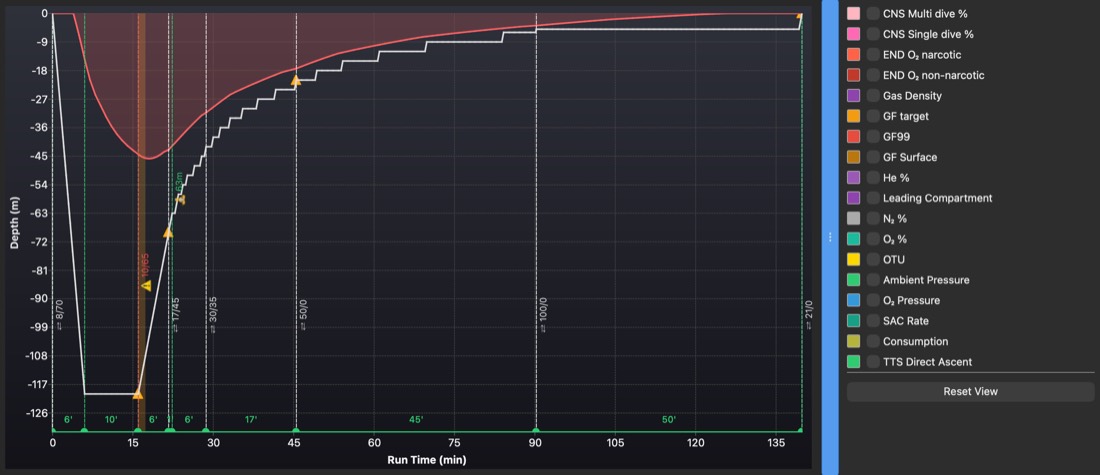
Same engine. Your phone, your desktop, or plain English.
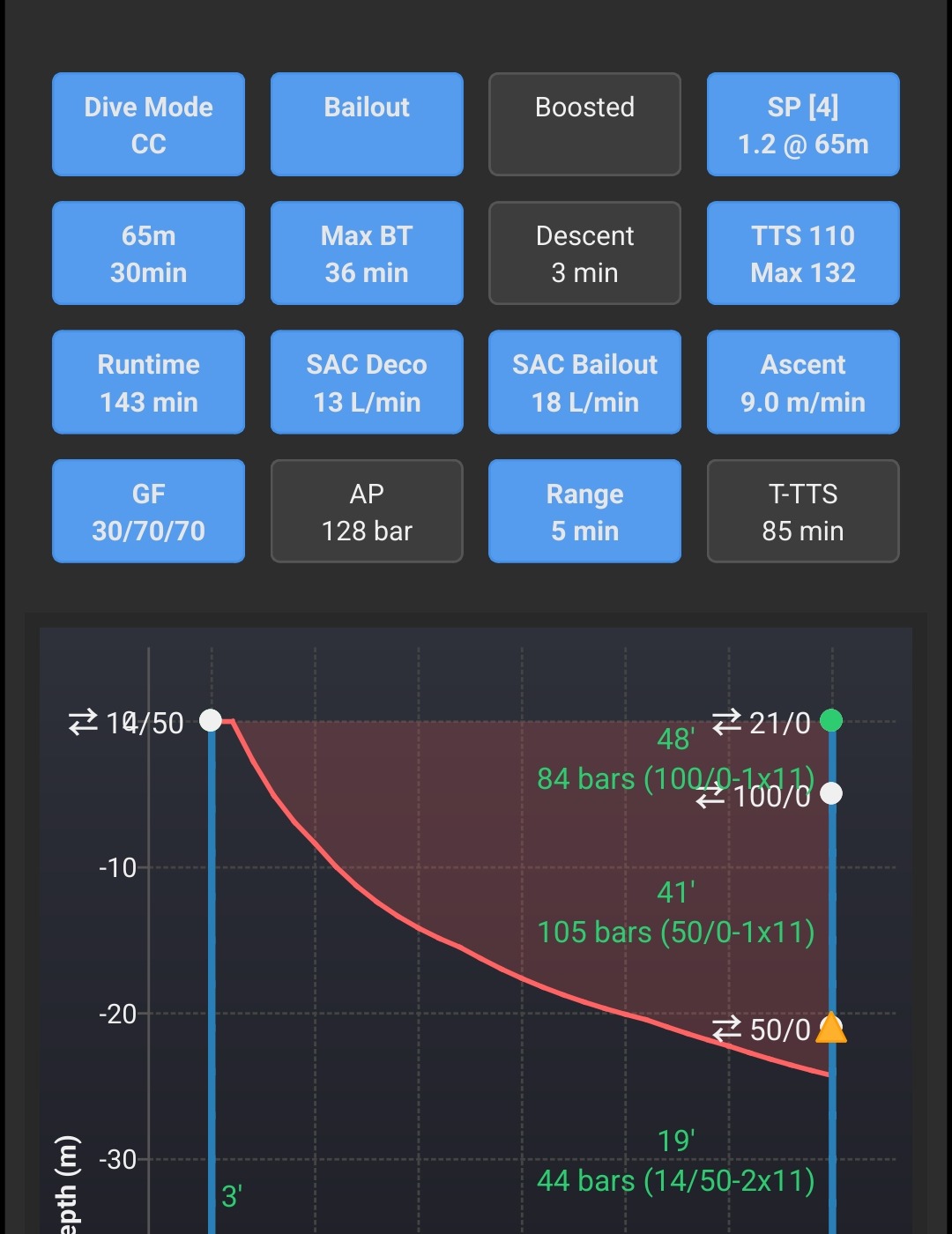
The desktop plan above isn't the only way in. DiveCast runs natively on iOS, Android, macOS and Windows — same gas math, same deco engine — and through a Claude connector, you can plan an entire CCR dive, gas picks and bailout included, just by describing it in plain English.
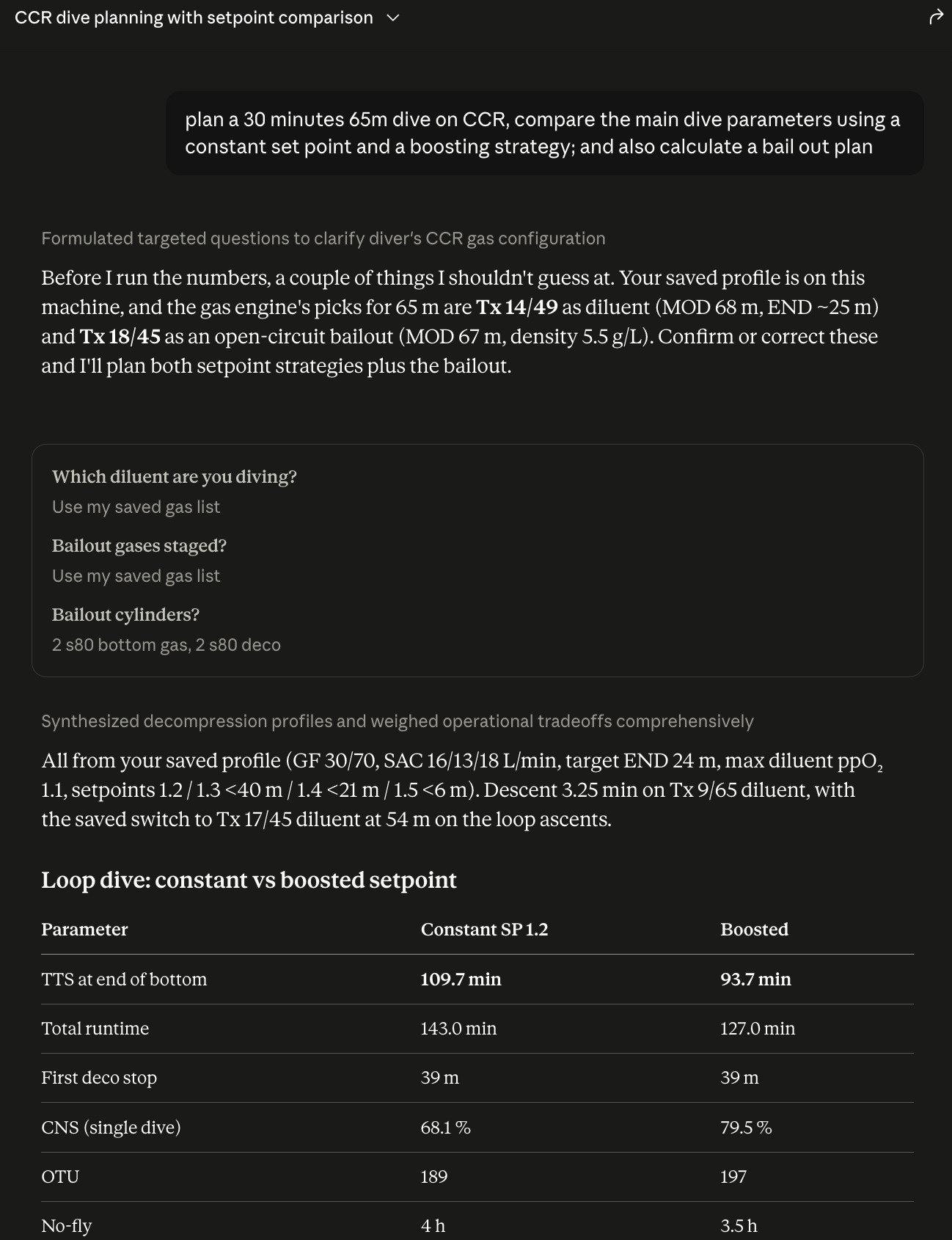
Stop guessing your weighting.
Every rebreather, drysuit, stage bottle and light changes how you sit in the water. Buoyancy Cast adds up the real numbers — body, exposure suit, tank configuration, even how much your lift changes as you burn gas — and tells you exactly how much wing volume you need, before you're the one finding out the hard way.
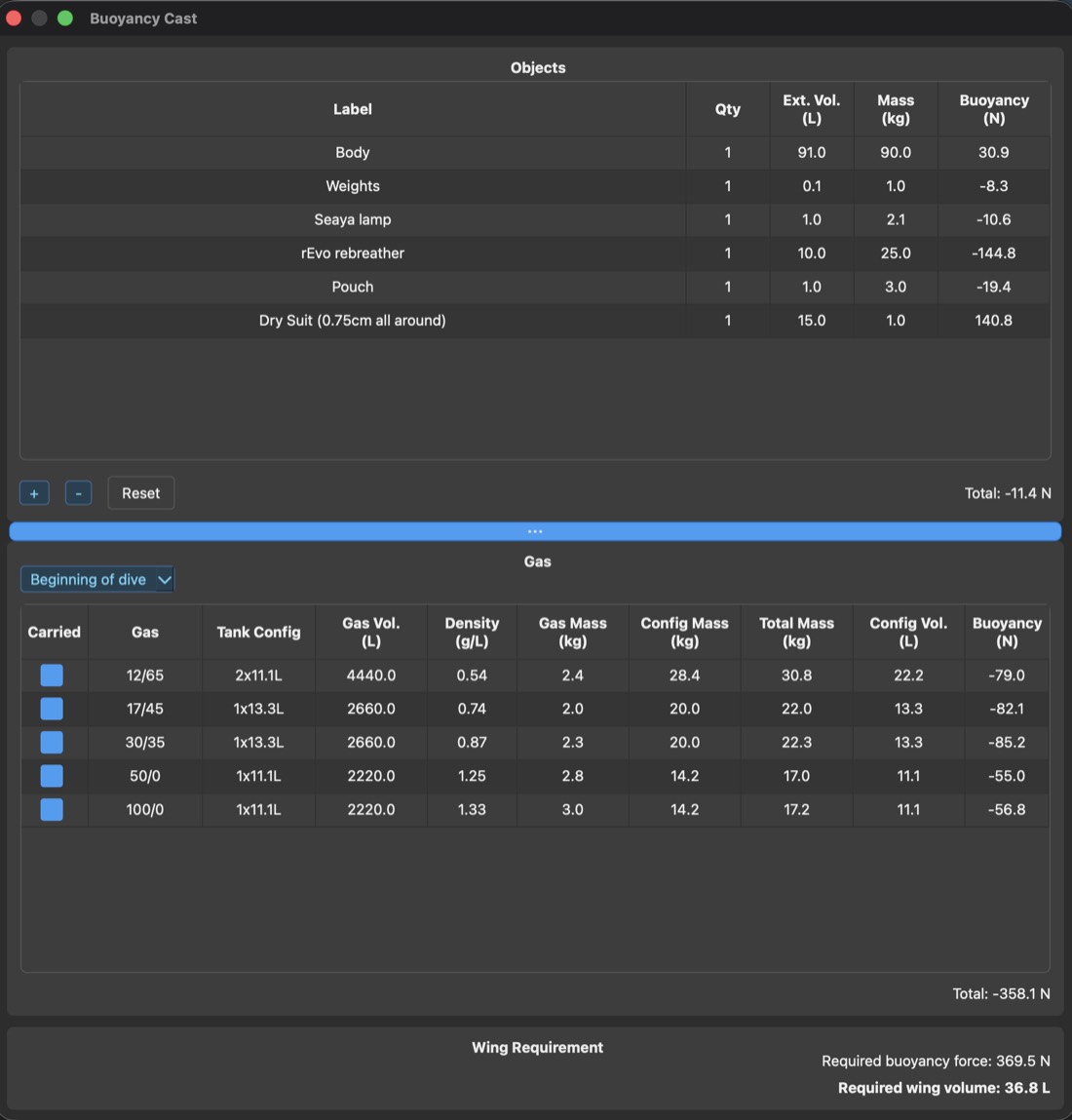
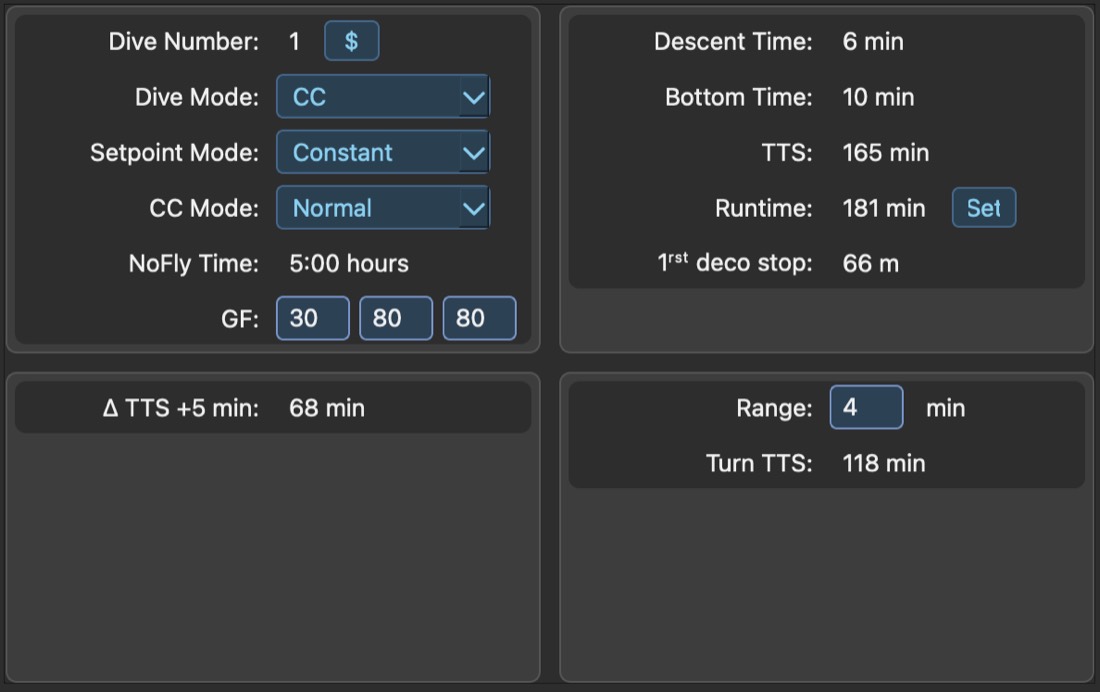
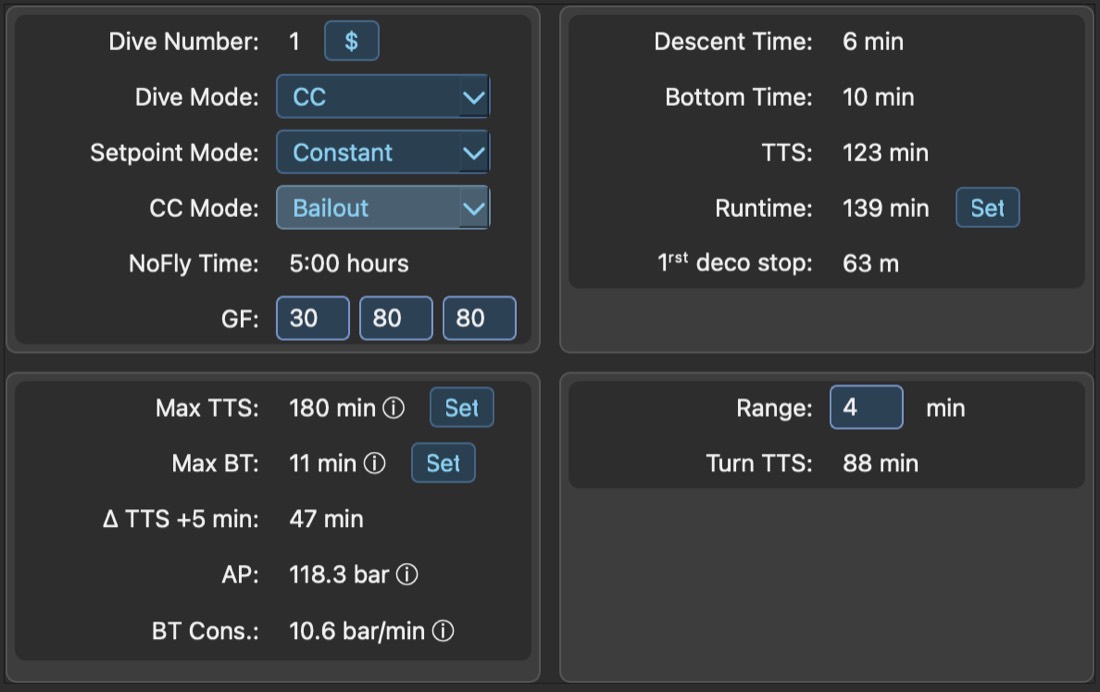
One toggle. A completely different dive.
Switch CC mode from Normal to Bailout and DiveCast recalculates total time to surface, max bottom time, and your first deco stop against open-circuit gas math — instantly. You see your real margin before you ever need it.
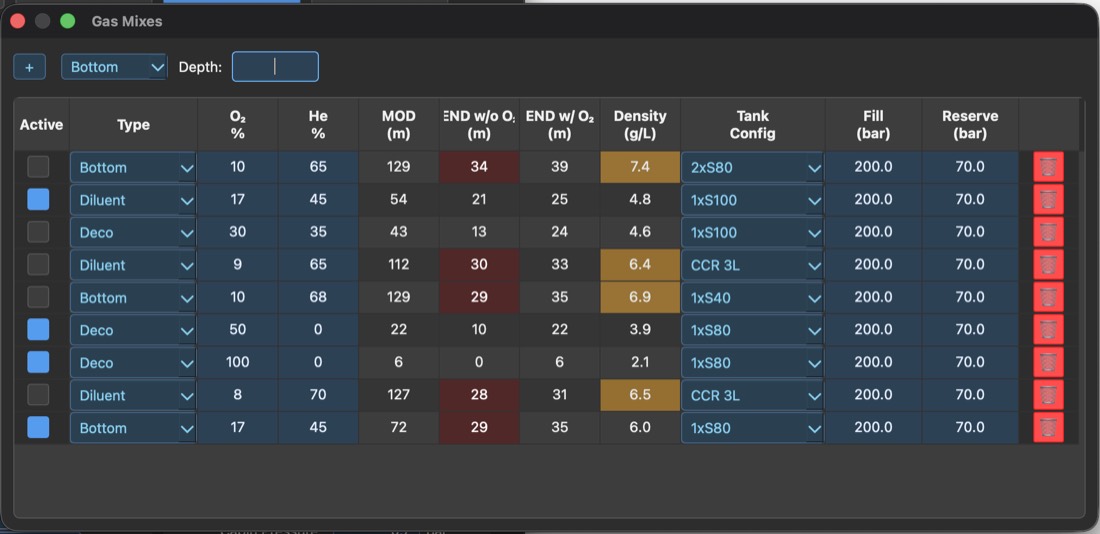
Build the mix once. Trust it everywhere.
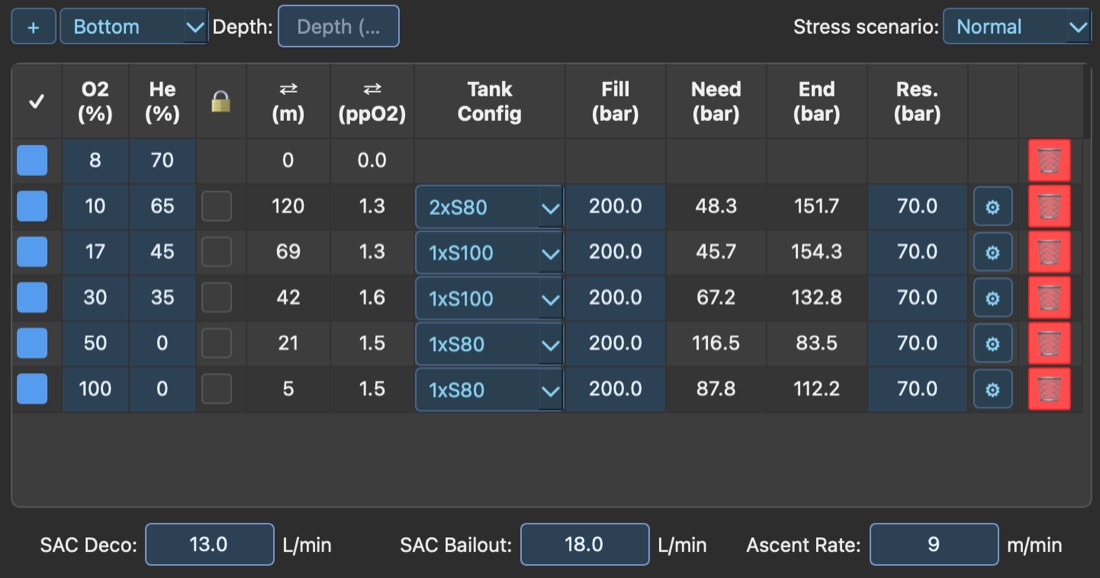
Your gas library carries MOD, narcotic and non-narcotic END, and gas density for every bottom, diluent and deco mix you dive — flagged the moment density crosses your comfort limit. Drop any of them into a plan and DiveCast carries the fill, need, end and reserve pressure straight through to the gas summary.
Dial in the details that ruin a dive when ignored.
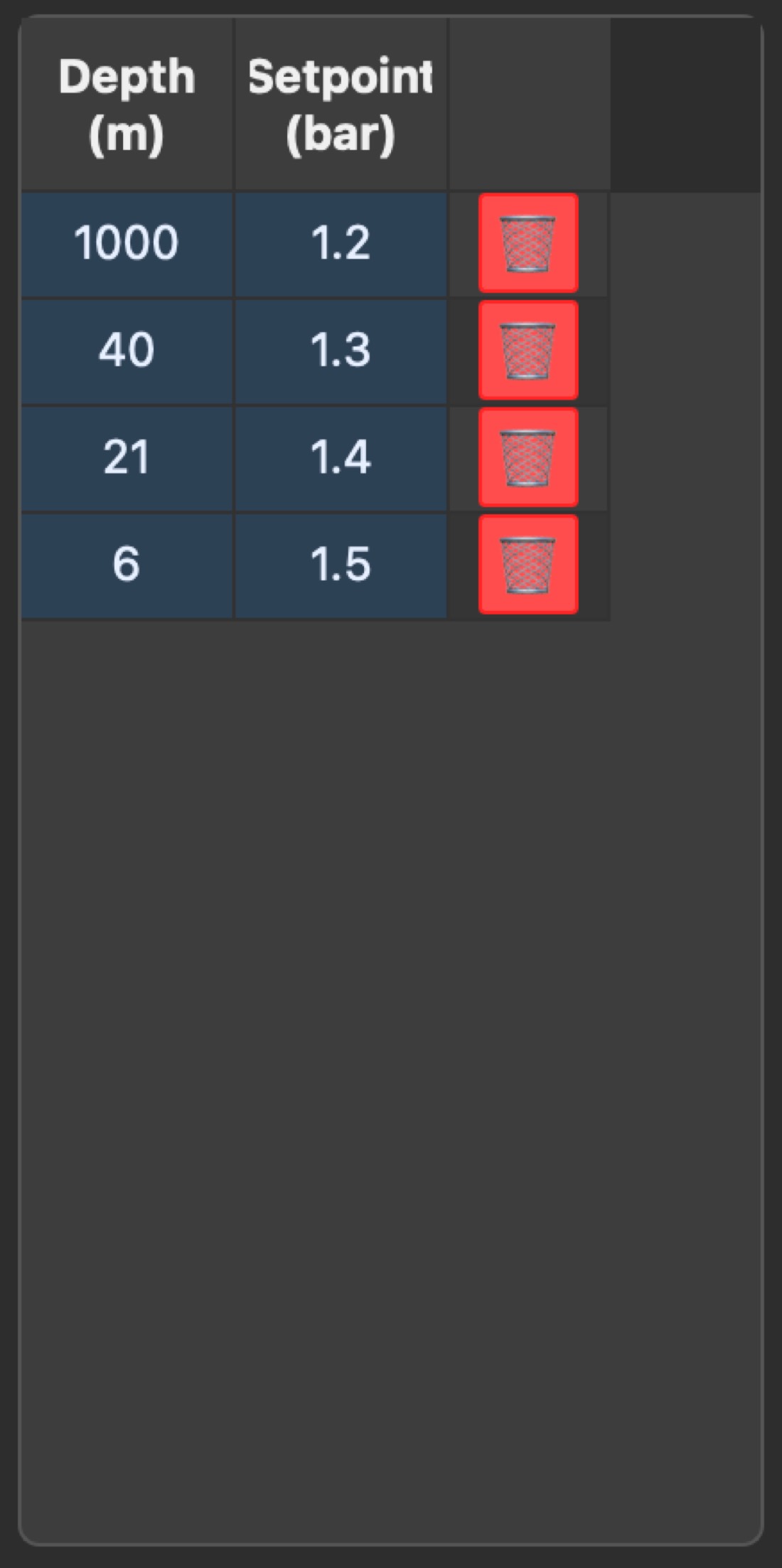
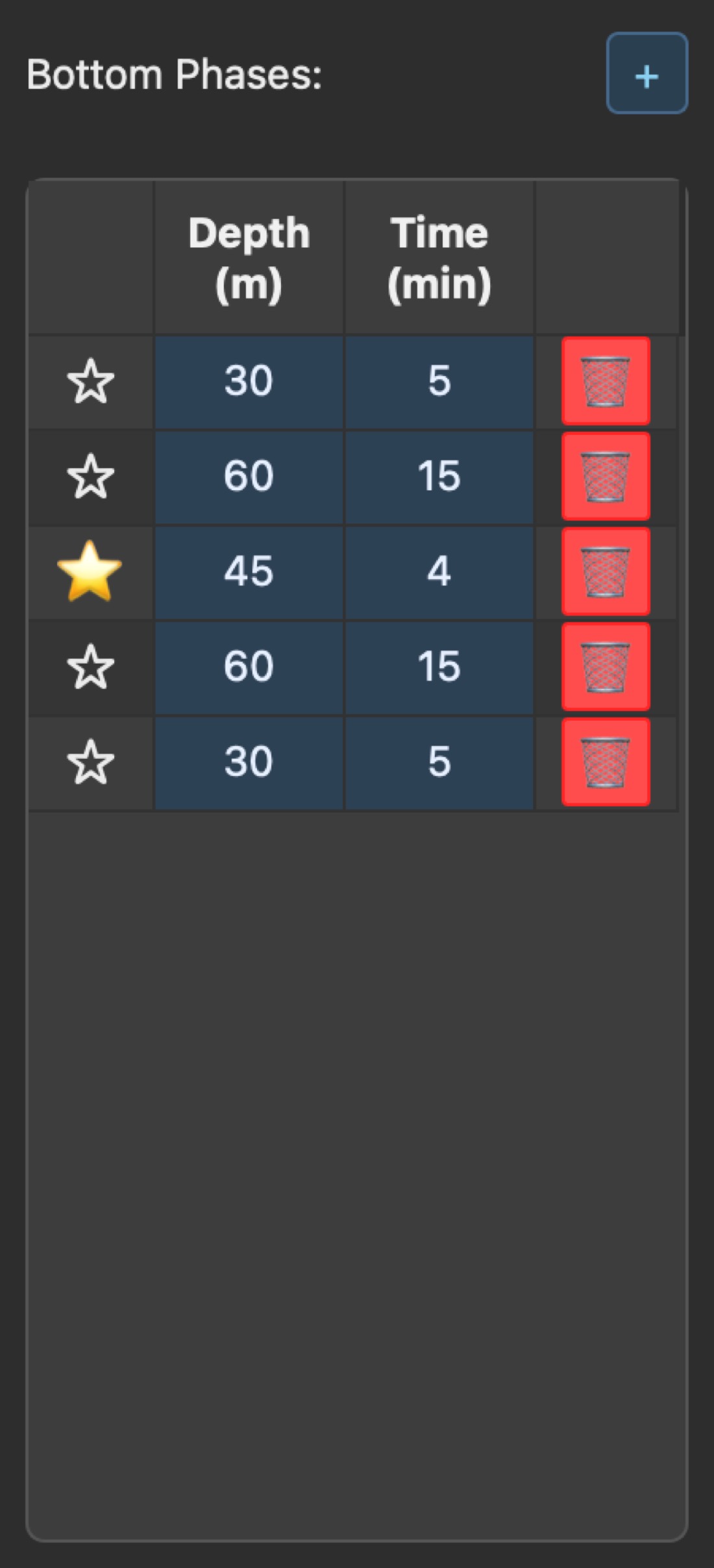
Depth-indexed CCR setpoints and multi-level, cave-ready bottom phases both live inside the same plan — not a separate spreadsheet you keep in sync by hand.
- Setpoint table by depth, ready for a full setpoint change dive
- Star a phase as a reference for exit calculations
- Add or reorder bottom phases without rebuilding the plan
The turn isn't a guess. It's a number.
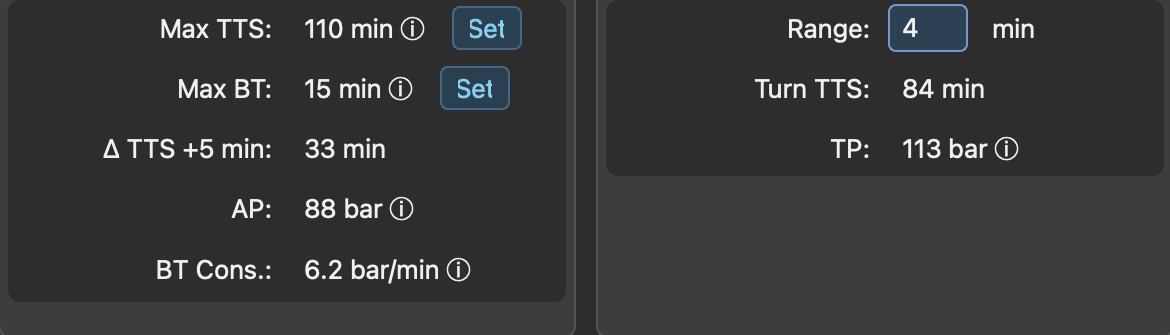
Every dive has a point where you stop going in and start heading back. DiveCast puts a number on it instead of a feeling — Turn Pressure and Ascent Pressure for OC divers, Turn TTS for OC and CC alike, all solved from the plan you actually built and posted right on its front page.
One dropdown. A completely different gas plan.
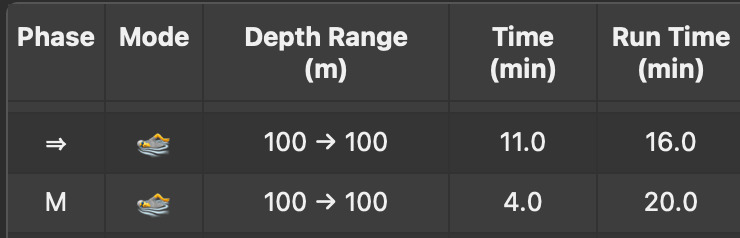
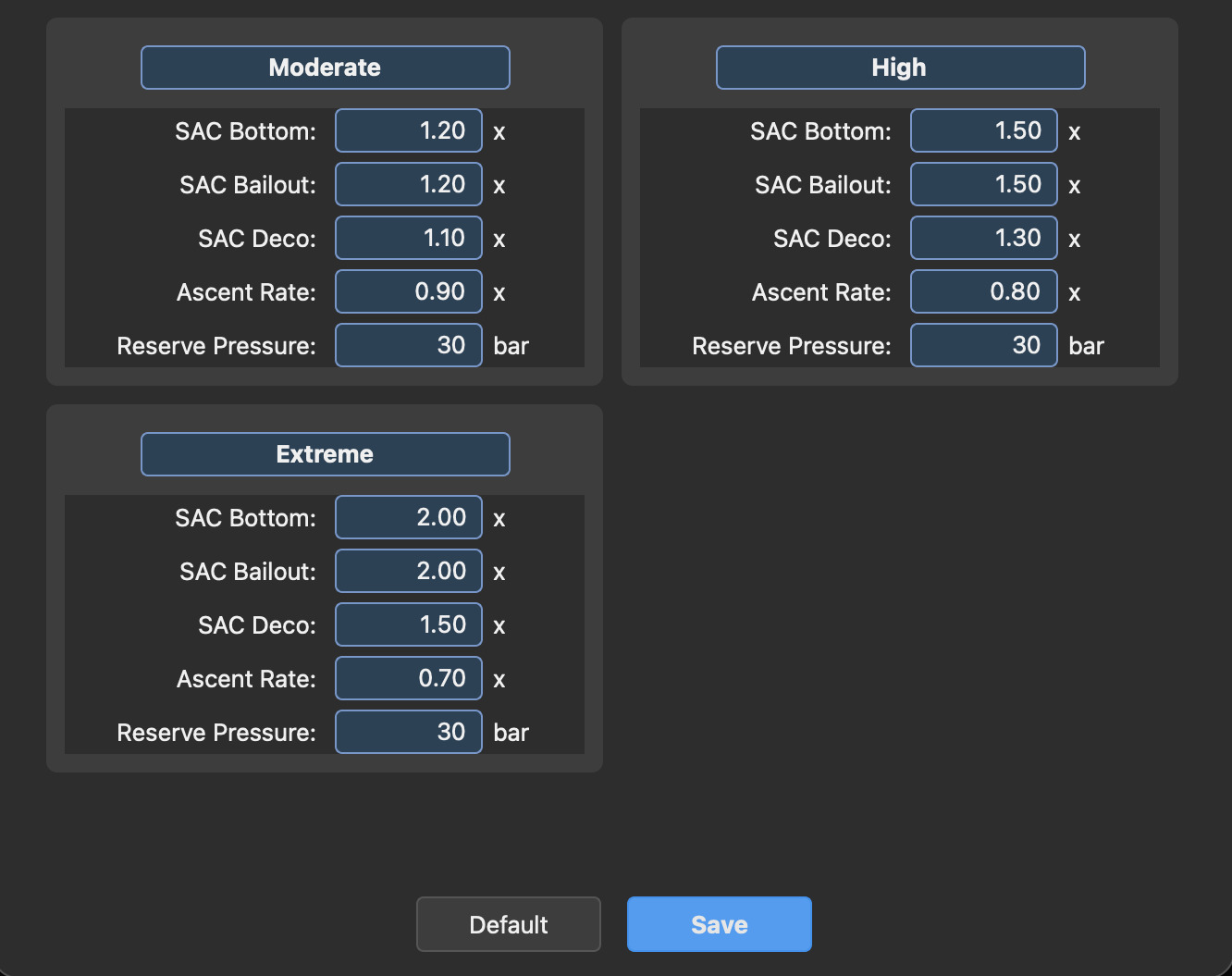
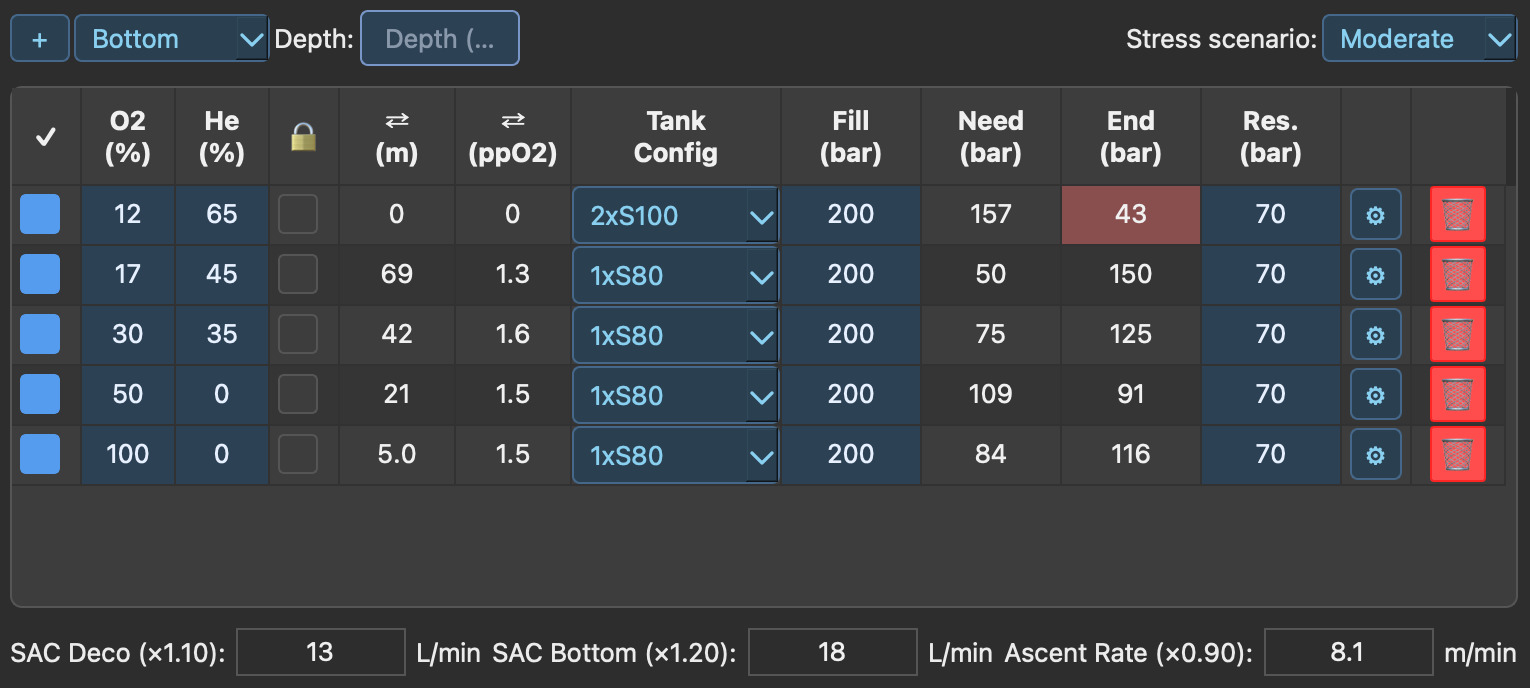
Stress doesn't just raise your heart rate — it raises your SAC rate, slows your ascent, and eats into reserve faster than a calm-water plan accounts for. Pick Moderate, High or Extreme and DiveCast recalculates every gas's need, end and reserve pressure instantly, flagging the moment one runs short.
When it goes wrong, you've already run the numbers.
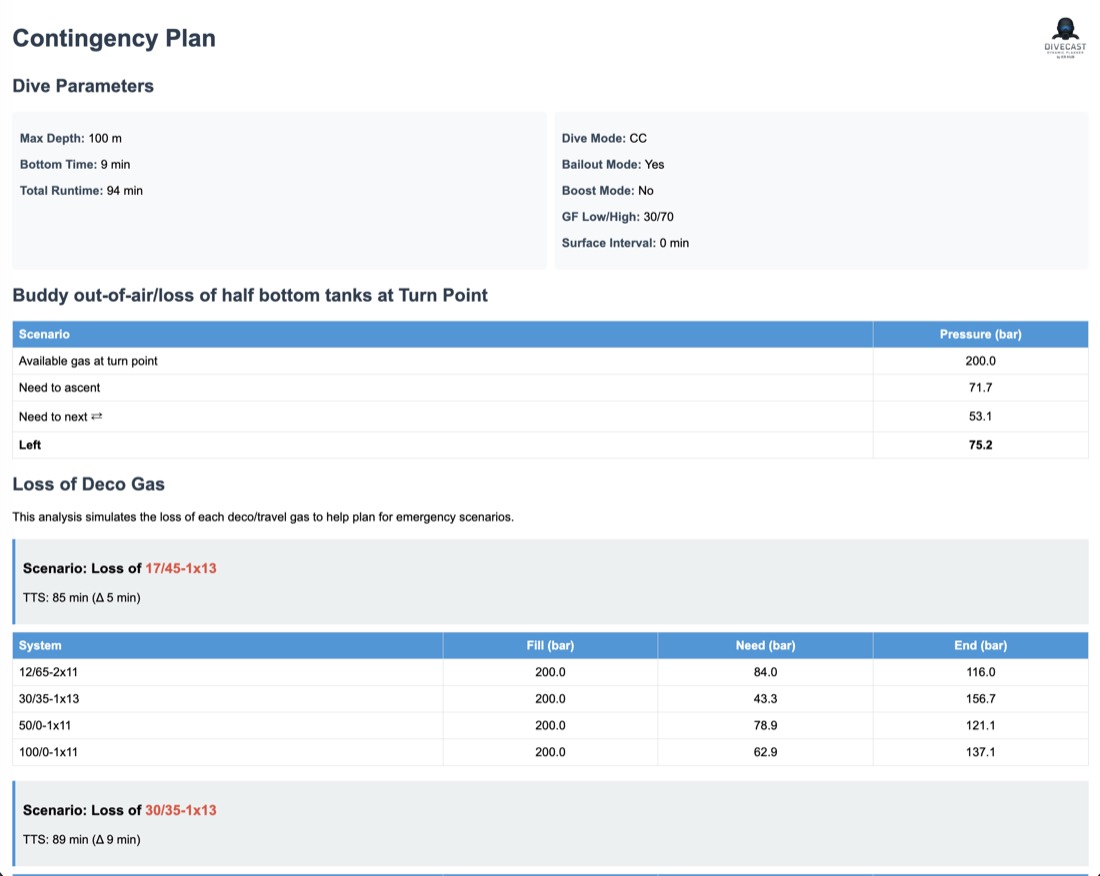
Every plan ships with a contingency report — buddy out-of-air at the turn point, loss of any single deco gas — worked out in bar and minutes, ready to print on a slate before you leave the dock.
It's just HTML. Make it yours.
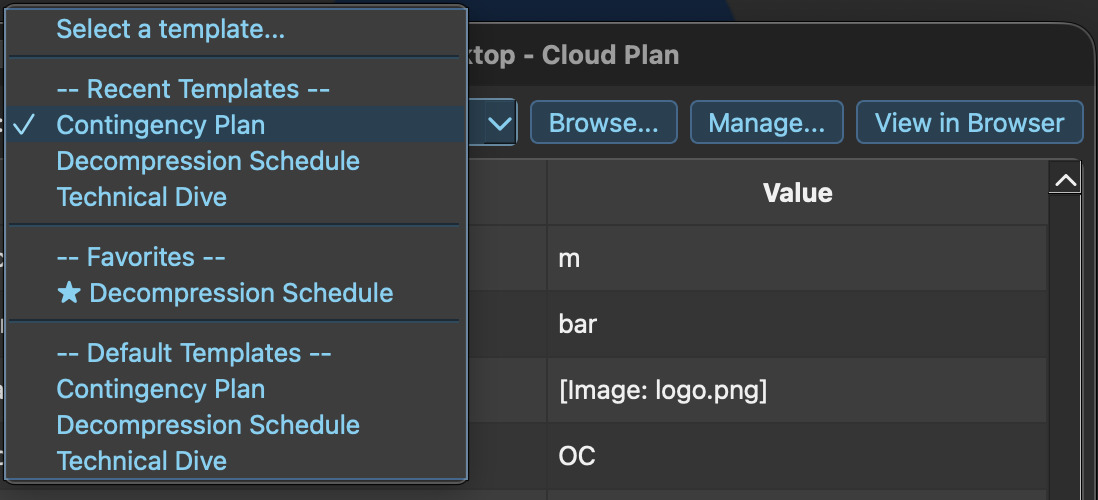
The contingency plan above isn't a fixed report — it's one of several default templates running through DiveCast's slate engine. If you're comfortable with HTML, write your own slates in Google Docs or any HTML editor, drop in the tags DiveCast recognizes, and render any dive through your layout.
<h1>Dive Plan – {{m_diveNumber}}</h1>

<table>
  <tr>
    <td>Max Depth:</td><td>{{m_maxDepth}}m</td>
  </tr>
</table>

<h2>Gas Planning</h2>
{{#m_gasAvailable}}
  {{if .m_gasStatus == ENABLED}}
    <p>{{.m_o2Percent}}/{{.m_hePercent}} –
       {{.m_consumption}}L of {{.totalCapacity()}}L</p>
  {{/if}}
{{/m_gasAvailable}}
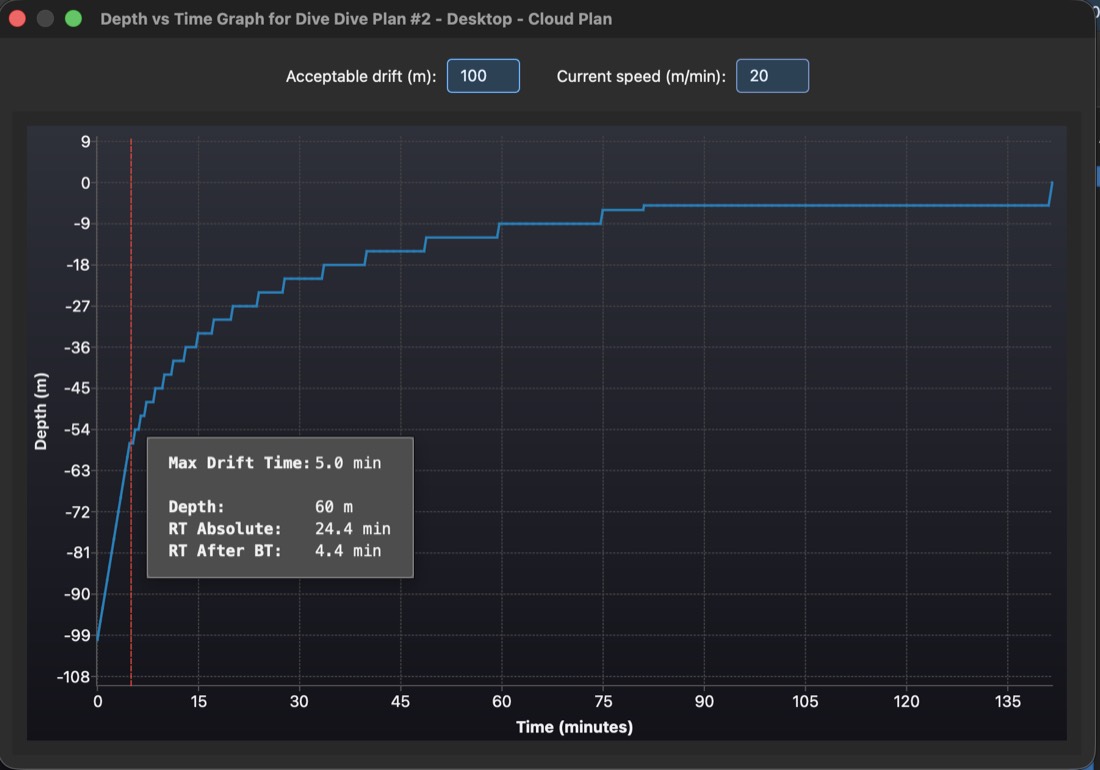
Know exactly when to deploy.
Set how far you're willing to drift and how fast the current is running, and DiveCast marks the latest point on your ascent — depth and time — where deploying your SMB still keeps you inside that range. In this profile: 60m and five minutes into the ascent before the current carries you too far for the boat to see your SMB.
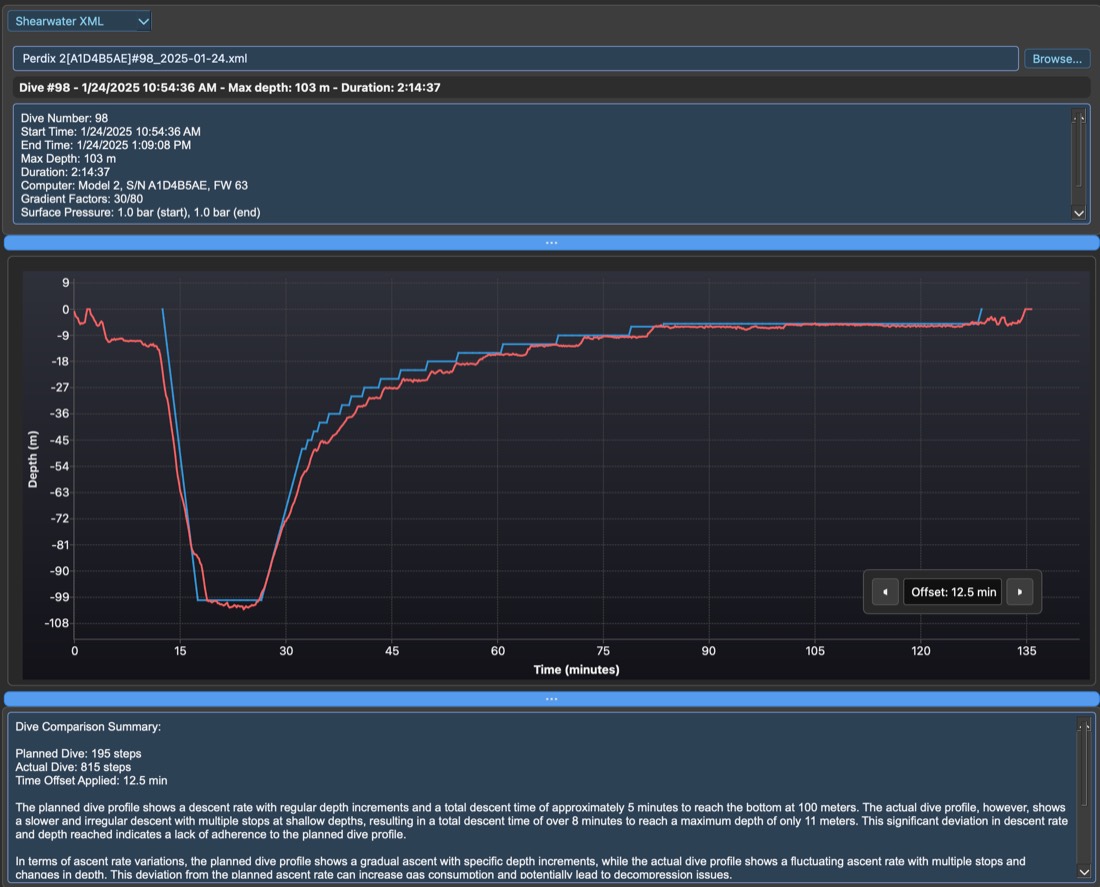
Debrief against what actually happened.
Import the XML straight off your Shearwater and DiveCast overlays your planned profile against the logged dive — descent rate, ascent rate, every stop — so you know exactly where the dive diverged from the plan, not just that it did.
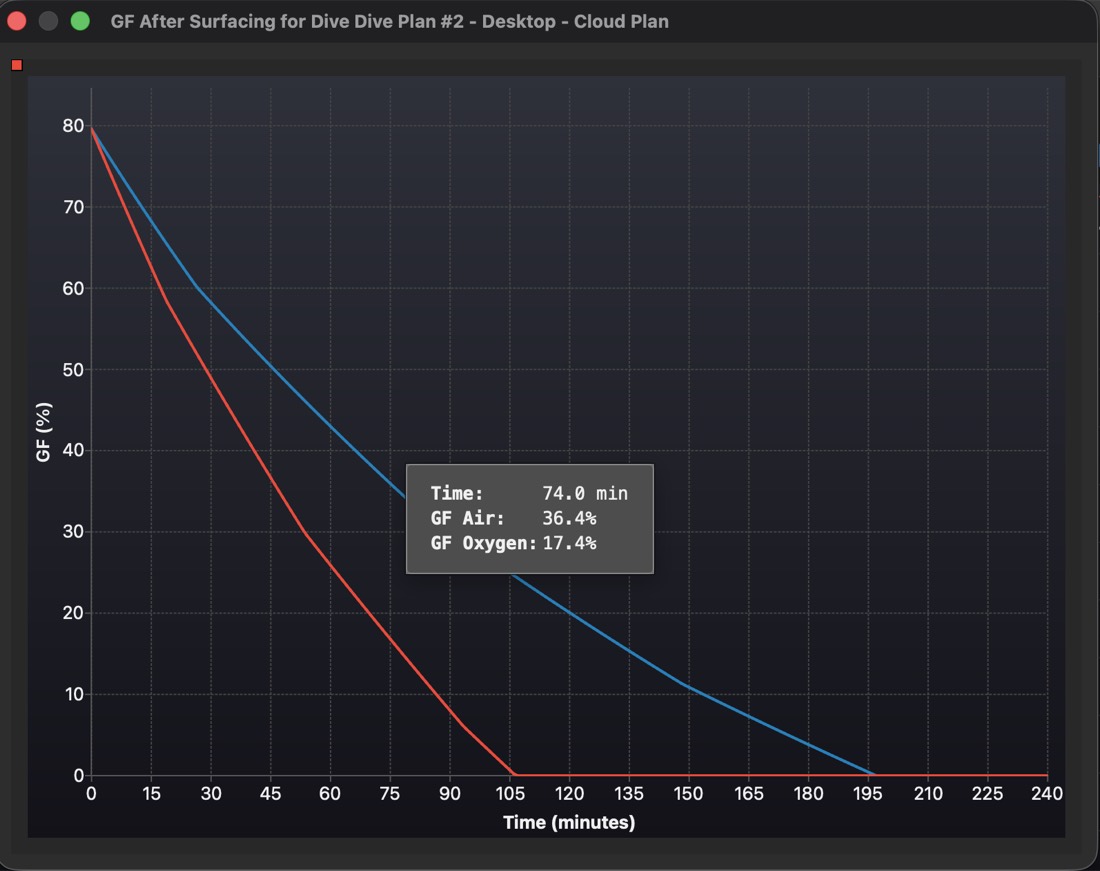
Know when you can fly. Know when you can dive again.
DiveCast doesn't stop modeling the moment you surface. It plots your gradient factor decay breathing air versus breathing oxygen, so your no-fly window and your next dive's residual nitrogen are numbers you read off a graph — not a flat 18-hour rule of thumb.
- GF-on-air vs. GF-on-oxygen decay curves, side by side
- Feeds directly into your no-fly cabin-pressure and flying-GF thresholds
- Built for the second and third dive of the day, not just the first
Plan solo. Sync with your team.
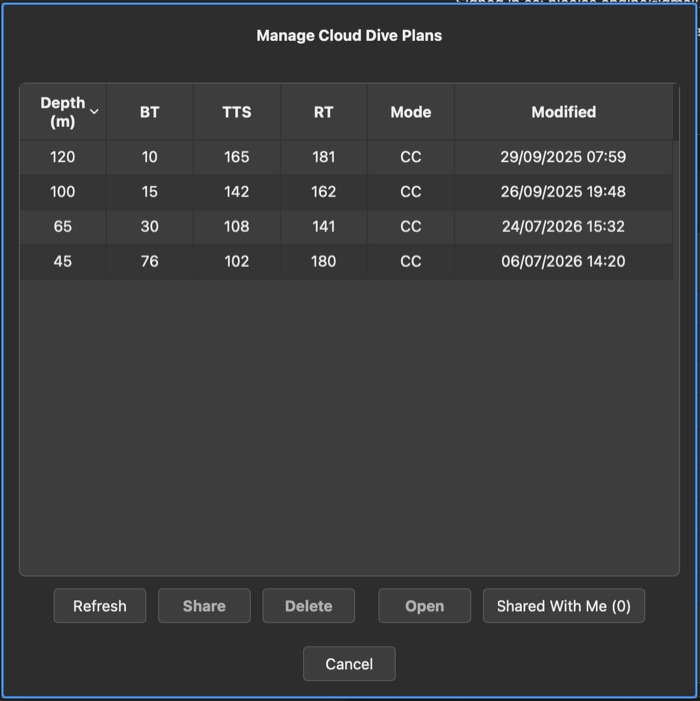
Sign in once with Google or Apple and every plan — depth, bottom time, TTS, runtime, CC or OC — saves to the cloud automatically. Pull it back up on another machine mid-trip, or share it straight from the app with your buddy or instructor before you're even off the boat.
Every constant, in your hands.
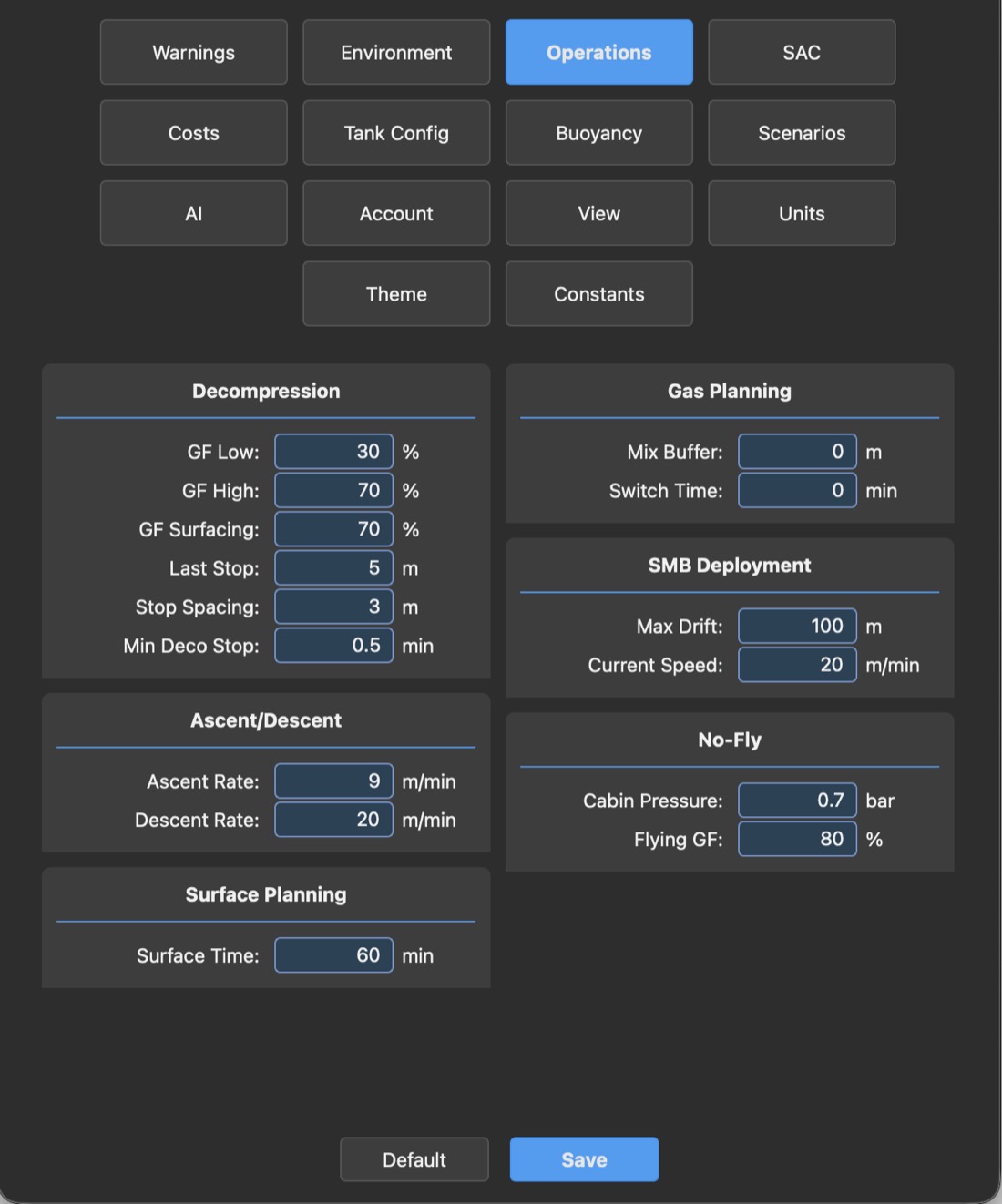
Gradient factors, ascent and descent rates, stop spacing, SMB drift and current speed, no-fly cabin pressure — DiveCast doesn't hide the math behind a single "conservative / aggressive" slider. Warnings, scenarios, units, even an AI tab for assisted planning: it's all exposed, all editable, all saved to your profile.
Plan your next dive properly.
Free to download on iPhone, iPad, Android, macOS and Windows — and available as a Claude connector. Pick your platform and get planning.
Built for technical diving — trimix, CCR, and dives where the plan has to survive contact with the water.